Split PST » Overview
An Easy Process to Split PST File is Right here!
Split Magic is the name for easily splitting large sized PST files into smaller parts. The process to split PST file has this new and easy name, which is our Split PST tool. An old & well-established name in this domain has brought out this highly user-friendly MS Outlook PST splitter tool to split large PST file into smaller parts or smaller sized PST files. Using this PST Split tool, you can split PST file without any data loss.
- Direct Developer support for easy customization
- On-hand Cheat Sheets for Ease of PST Splitting
- Result comparison via CSV file of after-before PST file split



Any product developed by us follows your ease and comfort. You can use Split Magic to split Outlook PST files without even a granule of trouble. While performing the process to split Outlook data file or split Outlook archive file using this Outlook PST file splitter software, many more additional attributes are delivered to you like accuracy, genuine pricing, high proficiency, data security, speed and others. Split magic tool technically fortified & highly efficient utility to adequately split Outlook PST file with all items. Only this PST splitter tool capably supports the efficient splitting PST of all MS Outlook versions.
Split PST Product Features Counter:
Get higher PST file management via PST split tool and radically split large Outlook PST file items. There are many useful features of this PST split tool which will rouse you to use it to split large PST files into smaller PST files are given below:
- Consecutively Split PST files by Date, Year or Size via a multi-purpose Split PST software
- Outlook PST splitter allows splitting of emails, contacts, calendars, tasks, notes & all data.
- PST file splitter tool protects Metadata properties ((to, from, cc, bcc, attachments, date, size, year) regarding PST file items.
- Split Outlook PST emails folders (Inbox, Sent & Deleted Items, Drafts and custom folders).
- PST split tool works in multifaceted Outlook version i.e. Split Outlook 2007, 2010-2016, 2003, XP, 2000, 2002 & 97 PST File at one go.
PST Split Software from Free Trial Version to Full Mode
Evaluate PST file splitter tool performance via demo version facility to divide PST file first 50 items FREE of cost. By availing free PST splitting tool get overview of how to cut PST file. Whereas Full version of Split PST software can break PST files of unlimited number, so use this tool to trim PST files available at $49 only.
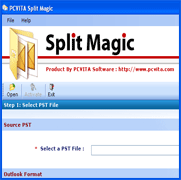
Free Service for Corrupt PST
If you want to split corrupted or oversized Outlook PST files, then you can avail the FREE SERVICE we give. The service is FREE only for Split Magic software users. For free Split repair services, contact us: support@pcvita.com.
Split PST Awards!

Split PST File by Size
- Split Any Sized PST File (>20 GB)
- Option to split PST by 256 MB, 512 MB, 1GB, 2GB, 3GB & 4GB size.
- Split oversized PST (Even reached its maximum size limit).



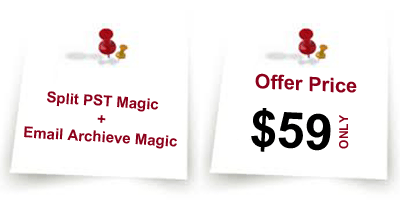
Offer to Split & Backup!
365x24x7 Online Support!
Fetch the answers to your questions regarding our PST split tool right here right now by contacting the support team. You will get an immediate solution regarding split PST query.
30-Days Refund Policy